
Steps for calling external contacts in Teams
gabriel.comanici@bigstep.com 12 November 2021
For calling Bigstep or Metalsoft contacts
If you want to call a contact from our organization, but it is on another company (Bigstep -> Metalsoft or Metalsoft -> Bigstep) you should follow some steps:
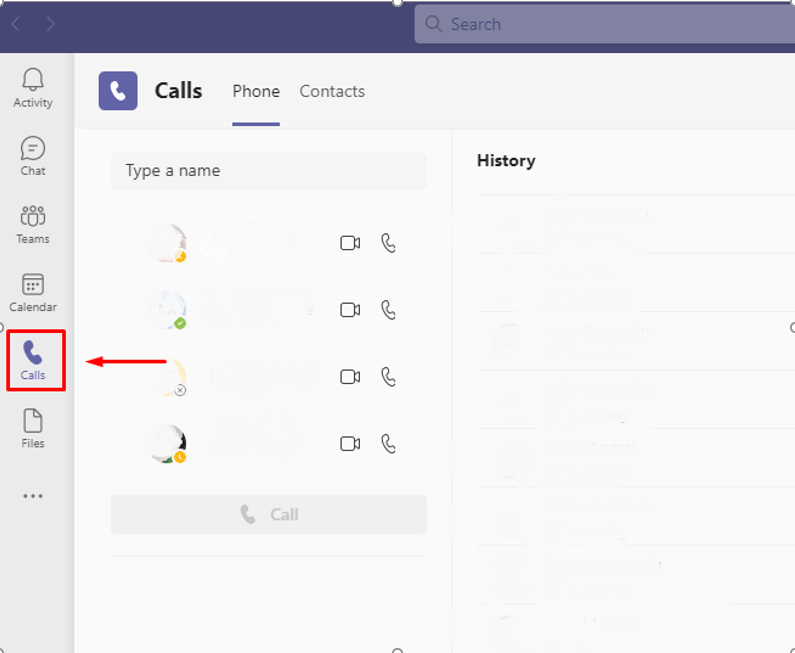
1: Open Teams and go to Calls tab
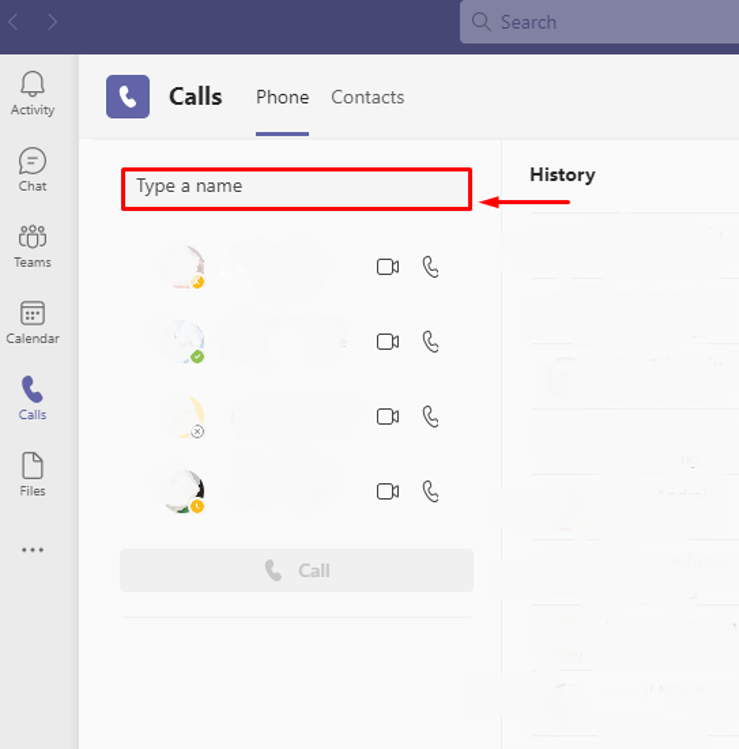
2: In Search field from that tab input the name of the person:
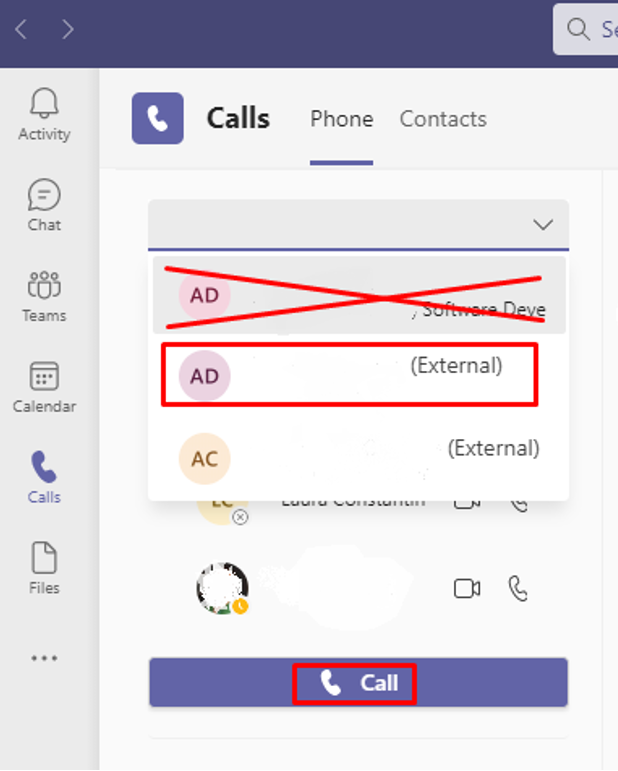
3: From the results, select the name with the External termination and after that initiate the call:
Comments
0 comments
Please sign in to leave a comment.